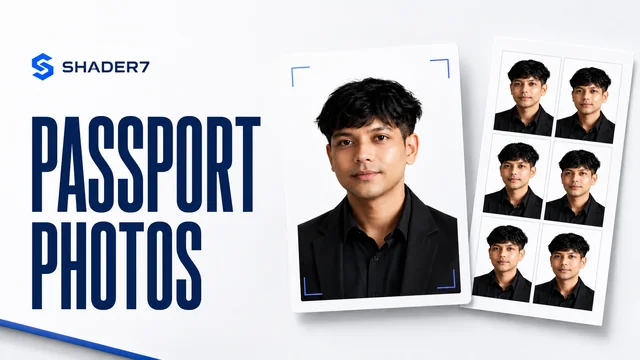
Welcome to the free online passport photo maker! Upload, crop, format and print passport photos with pro-level layout — right from your browser.
1. Upload & Edit
Click or Drag & Drop to Upload Photo
2. Settings & Print Preview
Quick Actions
Photo & DPI
Paper & Layout
Print Preview (scale-accurate, not squeezed)
Passport & Visa Photo Masterclass
Step-by-step DIY guidelines and official international parameters to guarantee visa approval.
Official Dimensional Ratios
Government agencies enforce tight tolerances for facial alignment and framing in passport photography. Here are the core specifications:
- Face Proportion: Your head (from the chin to the top of your hair) must occupy between 50% to 69% of the photo's overall height.
- Eye Height: Your eyes must align precisely with a level line situated 56% to 69% from the bottom of the photo edge.
- Digital Size: Recommended digital dimensions are 600px × 600px square, with a file resolution of exactly 300 DPI for high fidelity.
DIY Studio-Quality Lighting
Proper lighting is the key to passing biometric passport scanners. Harsh shadows on your face or background are the number one cause of visa photo rejection:
- Flat Lighting: Position yourself directly facing a bright window to get uniform, diffused front-light across your facial features.
- Eliminate Shadows: Avoid overhead lights or single side lamps. Use dual soft-lights positioned at 45-degree angles to balance contours.
- Plain Background: Background must be solid, even, and free of texture. Our client-side AI background remover replaces background elements automatically.
Preparation Checklist
Be sure to complete this physical checklist before uploading your picture or taking a photo with your smartphone camera:
- Neutral Expression: Look straight at the camera with a natural, unsmiling expression. Keep both eyes open and mouth closed.
- Attire & Accessories: Wear daily casual clothing. Uniforms, hats, or headcoverings (except for religious purposes) are not permitted. Glasses must be removed to avoid lens glare.
- High Contrast: Wear dark or colored clothing to contrast clearly against the required off-white/white background.
Frequently Asked Questions
What are the standard dimensions for a passport photo?
Passport photo size requirements vary by country. For the United States and India, the standard size is 2x2 inches (51x51 mm). For the United Kingdom, Europe, Australia, and Canada, the standard size is 35x45 mm (3.5x4.5 cm). This online tool supports pre-configured templates for all these standard sizes.
How does the AI background removal feature work?
The passport photo maker uses a local browser-based AI segmentation model to distinguish the subject from their background. All processing is executed directly inside your web browser on your computer or mobile device. None of your image data is sent to external servers, ensuring total privacy.
What background color is required for passport photos?
Most international passport regulations require a plain white or off-white background. Some countries accept light gray or light blue backgrounds for visa and ID photos. Our tool allows you to instantly replace your background with official swatches (white, gray, light blue) or use a custom color picker.
What are the lighting requirements for passport photography?
Passport photos require flat, natural lighting that eliminates harsh shadows on your face or background. We recommend facing a bright window to get balanced natural light, or using two light sources positioned at 45-degree angles in front of you. Avoid overhead lights that cast dark circles under the eyes.
How do I format the photo sheet for printing?
You can select standard print paper sizes like A4 or 4R (4x6 inches) in the settings. The tool will automatically tile multiple copies of your passport photo onto a single sheet with proper margins and gaps, complete with optional cutlines so you can easily cut them out after printing.
Is my uploaded photo secure on Shader7?
Yes, absolutely. The entire process runs locally on your system using client-side JavaScript APIs. Your photo is never uploaded to any remote server or stored in a database. Your data is private, secure, and stays entirely on your own device.
Related Expert Guides & Resources
Free Passport Photo Guide
Get a comprehensive checklist of official biometric photo standards for visa and passport submissions worldwide.
Read Expert Guide →DIY Passport Lighting Setup
Step-by-step tutorial on taking professional passport pictures at home using standard window light and smartphone setups.
Read Expert Guide →Online Tool Security & Privacy
Find out how Shader7 keeps your credentials, images, and financial spreadsheets safe via browser-based local execution.
Read Expert Guide →
Passport Photo Maker